Built for how restaurants in Bangladesh actually run
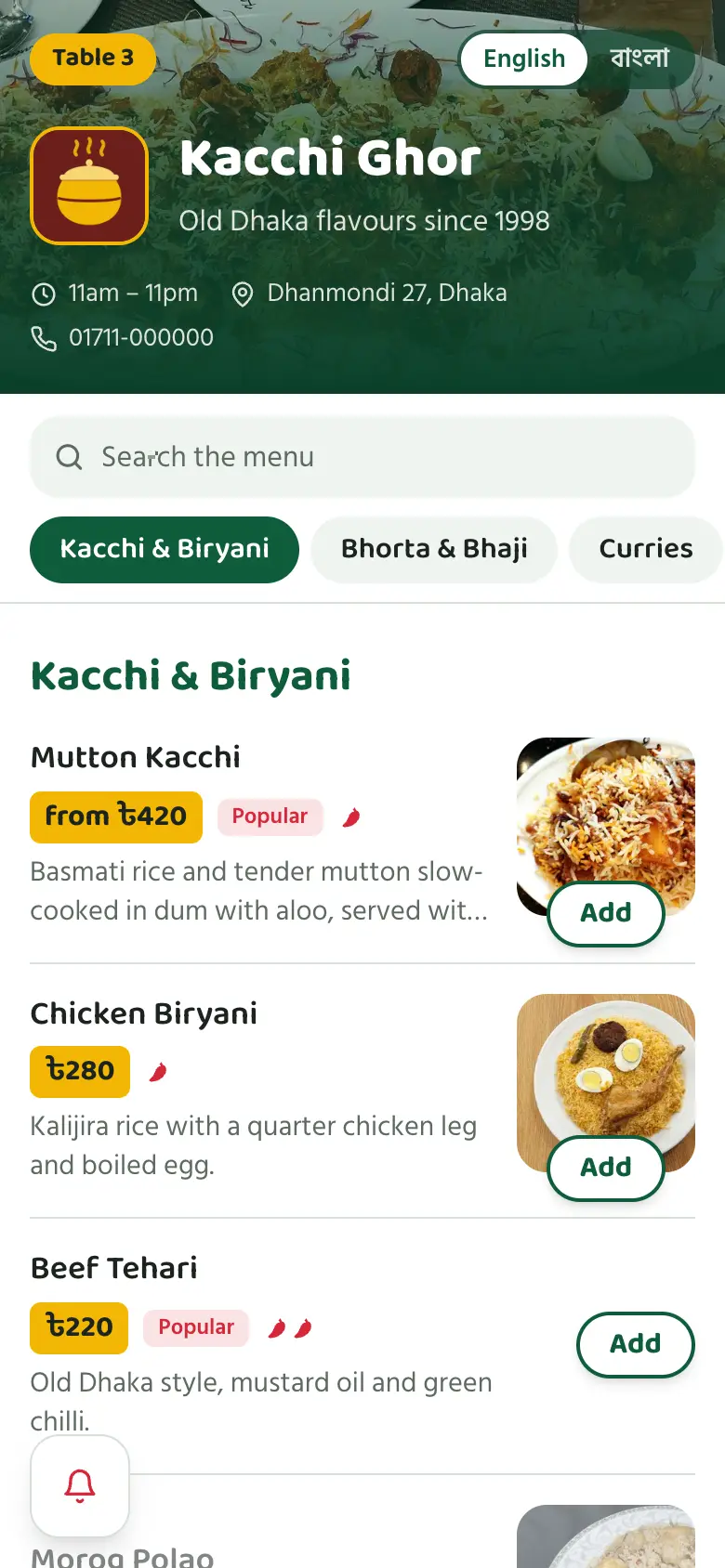
Bangla and English on one menu
Guests switch language with one tap. Prices show in taka, with Bangla numerals when they read in Bangla.
Works on any phone, on slow data
The menu is light enough to open on 3G, and photos are compressed automatically when you upload them.
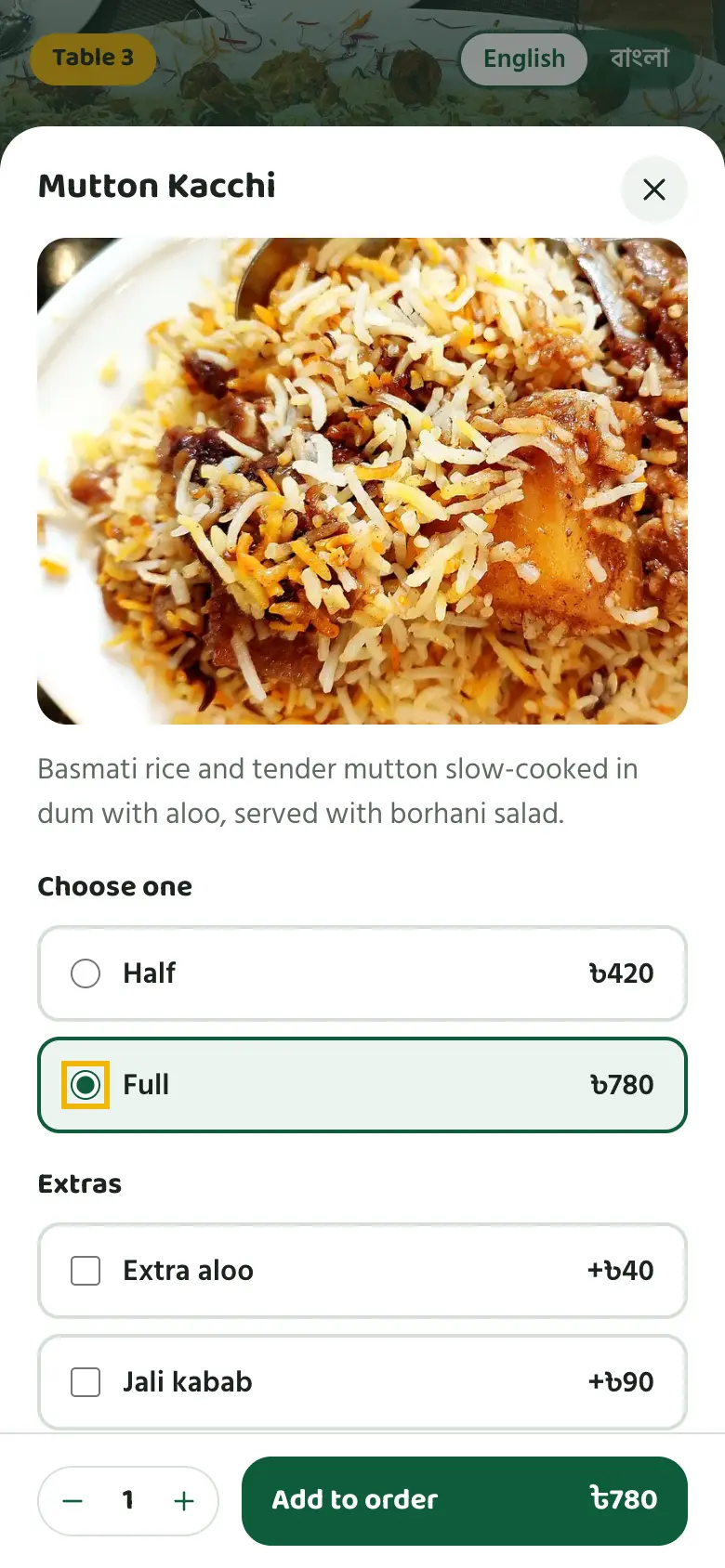
Half, full and extra aloo
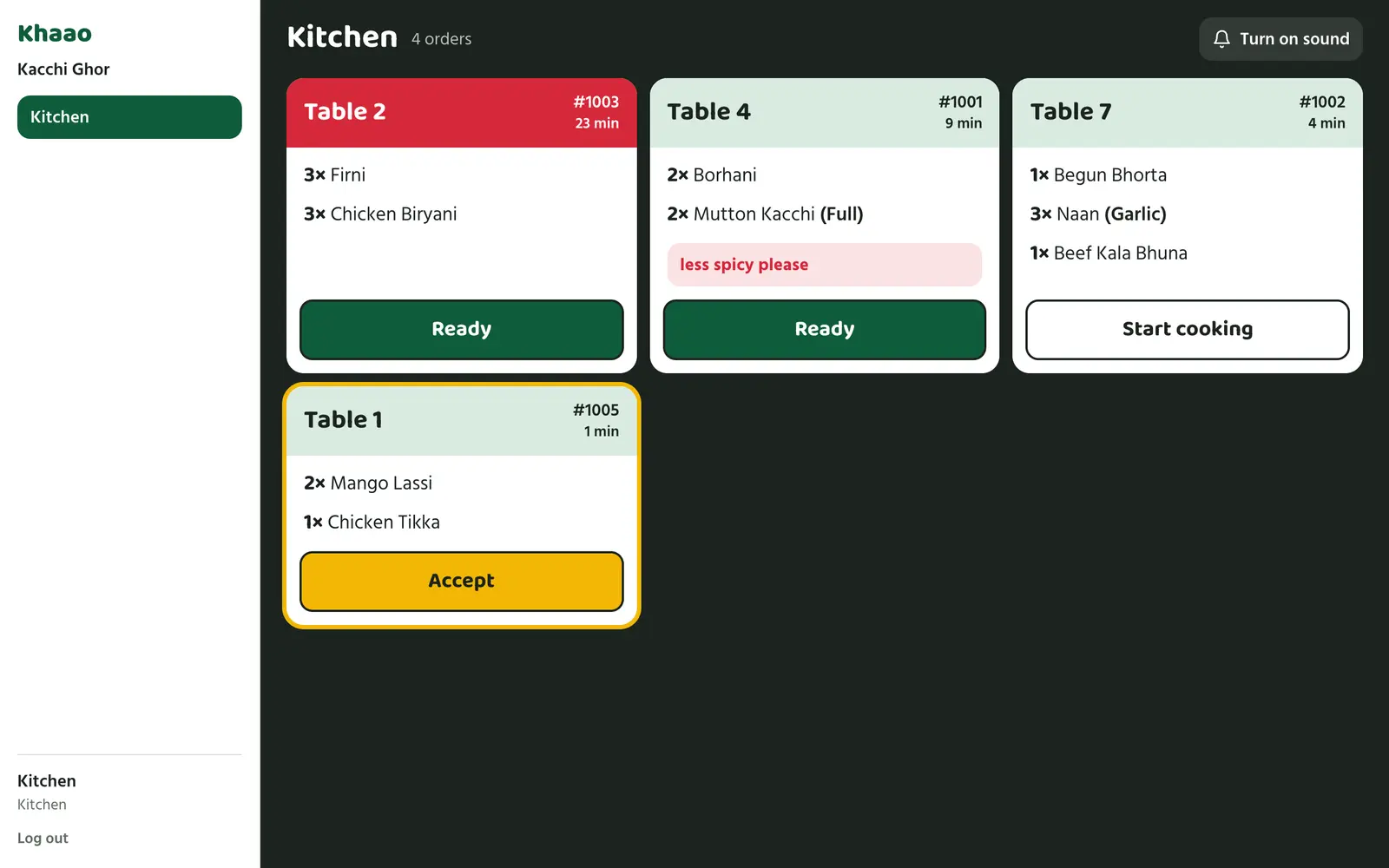
Portions, sizes, extras, spice level and notes like "less spicy" all reach the kitchen as written.
Call a waiter without waving
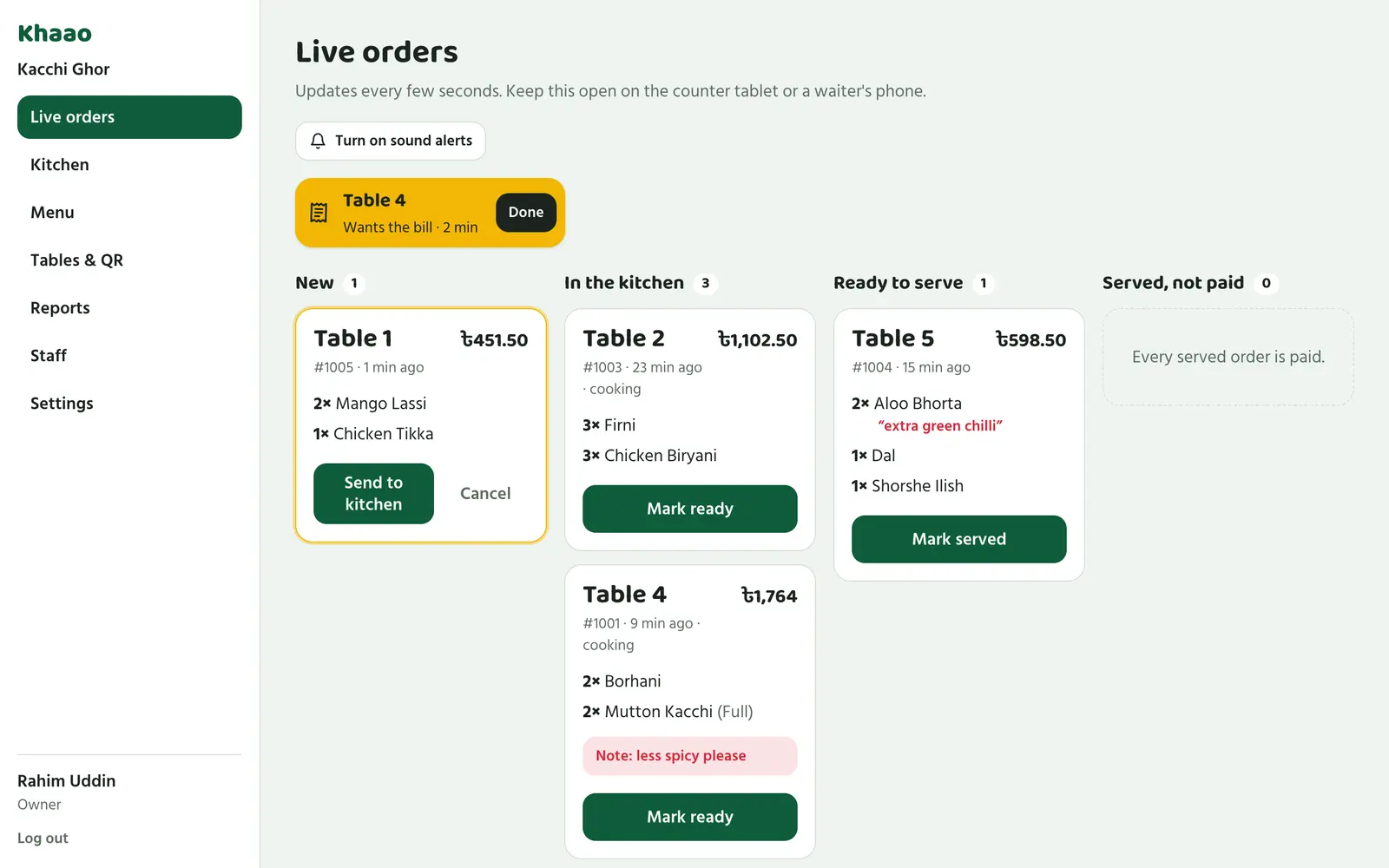
Guests tap to call a waiter, ask for water or ask for the bill. Your staff hear it and see which table.
Sold out? One tap.
When the kacchi runs out, mark it sold out and guests stop ordering it immediately.
Cash, bKash, Nagad or card
Record how each bill was paid, and see today's sales, busy hours and best-selling dishes.
Photos, portions and extras, the way guests ask for them
Tap a dish to see it up close, pick half or full, add a jali kabab, and leave a note for the kitchen. The price updates as they choose, with VAT shown before they order.
Ready tonight
- 1
Add your menu
Type in your dishes and prices, or have a manager do it from their phone.
- 2
Print your table cards
Every table gets its own QR code. Print them on A4 and put them in table stands.
- 3
Open the orders screen
Keep it on the counter tablet, and the kitchen screen by the stove.
Your staff see every table at a glance
New orders chime on the counter. Table calls and bill requests appear at the top. The kitchen screen shows what to cook, what's running late, and every guest note in red.